- Navigate to the Power Platform admin center.
- On the left hand menu, select 'Manage' and select your ChangePilot environment.
- In the left-most card 'Access', select 'See all' under 'Teams'.
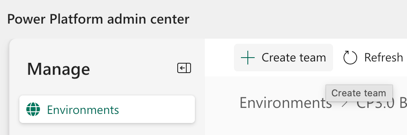
- Click 'Create team'
- Name the the team and add a description as appropriate
- Set the business unit to the default unit (starts org) and administrator to yourself. Set the team type to Owner. Click ‘Next’.
- Select the users via AD look up to be members of the team. Please note users must have a Power Apps licence to be found in the look up.
- Selection the appropriate role e.g. 'CP User'
- Click 'Save' and confirm.
- You can now use this Team for service category ownership and automated item assignment. For more information on how to configure these ChangePilot roles, see: How do I configure assigned roles and service category owners in ChangePilot?
English - United Kingdom
