
For more information about managed and unmanaged solutions in Power Platform, click here.
Before You Start
The deploying user will require the appropriate System Administrator or System Customizer role for the environment.
During the update you will also be required to download a .zip file to then upload as part of the Dataverse solution. Please make sure you have the rights to download these to the machine you are using.
Deploying the ChangePilot Solution Update
- Navigate to make.powerapps.com and click 'Import solution'.

- Download the latest release.zip file here.
- Back in make.powerapps.com click 'Browse' and select the downloaded .zip file. Click 'Next'.
- It will now compare the incoming version against your current deployed version. Once the version comparison appears, click 'Next'.
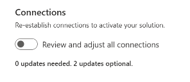
- You will then be presented with the Connections pane. You will be shown if any connection updates are required. If they are, please action update as required. Optional updates can be safely ignored. Click 'Next'.
- The environment variables will now be shown. If no variables require updating, please do not change any values and click 'Import'.
- You will now see a banner showing that the solution import is in process. This will take 5-10 minutes depending on the size of the update.
- Once complete, you will see the green banner showing successful import. The version number associated with the ChangePilot solution will also be updated.