
December 2025 Top Microsoft 365 Message Center & Roadmap Updates
These are the top 5 Microsoft 365 Message Centre and Roadmap items from the last month that our M365 change experts have hand-selected so you don't have to. At least pay attention, and where relevant, take action on these updates, new features and changes, to avoid service disruption, enhance productivity and uphold security and compliance policies in your organisation.
Top 5 Microsoft 365 Message Center Items in December 2025
MC1187805 - Hands-Free Outlook Mobile Triage with Copilot Voice
Microsoft 365 Copilot introduces Voice Catch-up in Outlook mobile, enabling users to triage their inbox hands-free. Copilot summarises unread emails and lets you flag, pin, archive, delete, or draft replies—all via voice commands.
Capabilities include:
- Summarise unread emails using voice
- Perform inbox actions (flag, pin, archive, delete)
- Draft replies without touching your device
Deployment details:
- Public Preview: Mid-Nov 2025
- General Availability: Feb 2026
- Requires Copilot licence and latest Outlook mobile app
- No admin action required
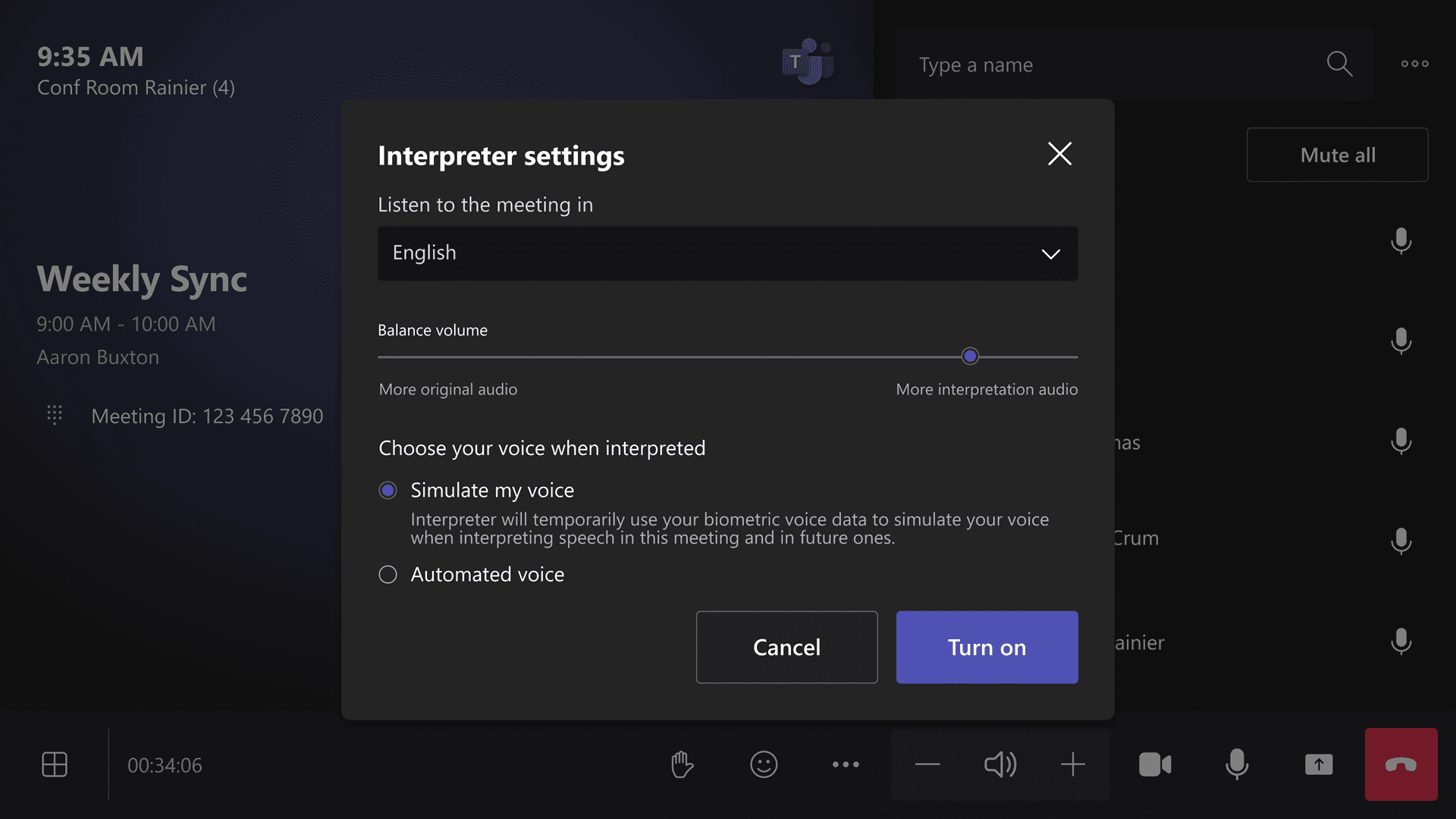
MC1188221 - Interpreter Agent Support in Teams Rooms
Teams Rooms on Windows now support real-time interpretation in nine languages, with simulated or automated voice options. This feature includes 20 hours/month interpretation per room under Teams Rooms Pro licence.
Deployment details:
- Rollout: Mid-Dec 2025 through Jan 2026
- Enabled by default; admins can configure voice options
- Platforms: Teams Rooms on Windows
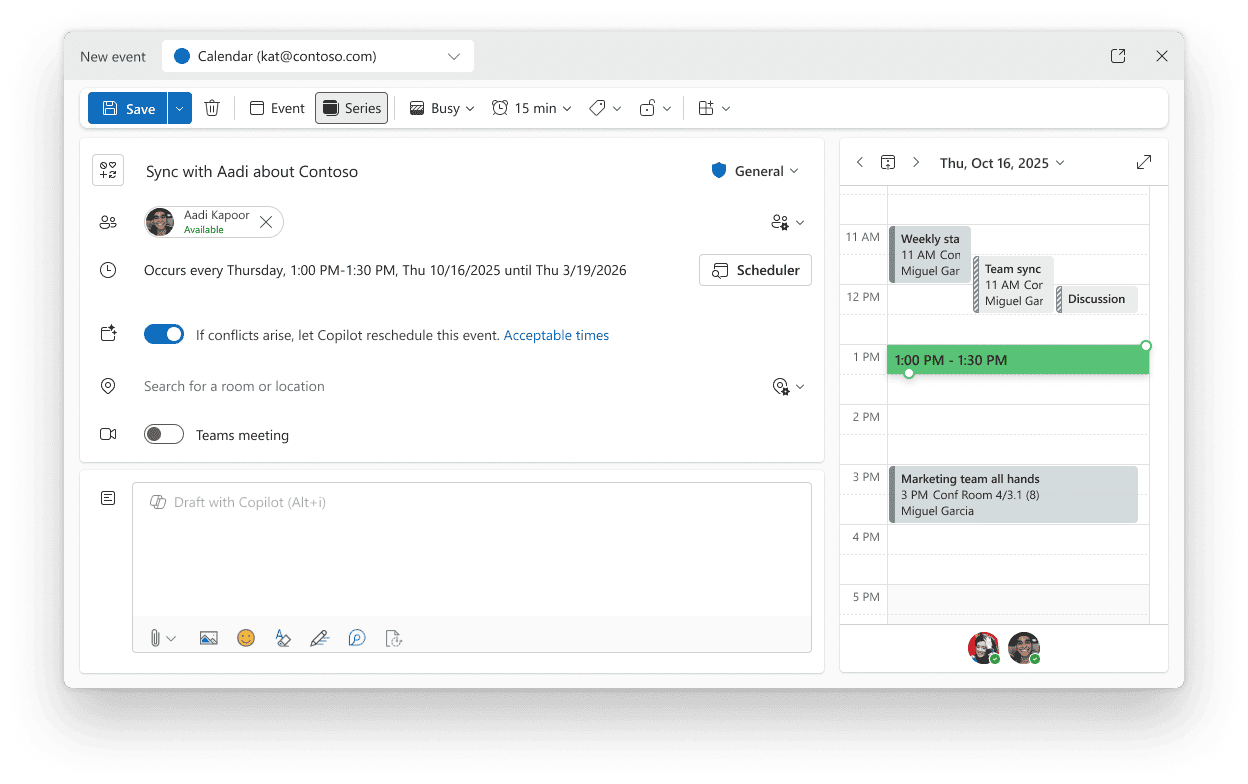
MC1184999 - Copilot Can Auto-Reschedule Meetings
Copilot now automatically reschedules 1:1 meetings and personal events based on user preferences, reducing scheduling conflicts.
Deployment details:
- Rollout: Nov 2025
- Enabled by default; no admin action required
MC1182004- Chat with Anyone via Email in Teams
Teams users can now start a chat with any email address, even if the recipient isn’t on Teams. External users join as guests via email invitation.
Deployment details:
- Targeted Release: Completed Nov 2025
- General Availability: Jan 2026
- Governed by Entra B2B Guest policy
- Enabled by default
MC1188222 - Private Chat in Teams Meetings and Webinars
Organiser, co-organisers and presenters will have access to a private chat in structured meetings and webinars in Teams. This separate chat will enhance collaboration between key participants without involving attendees.
A new unified backroom chat policy is also coming to town halls, ensuring consistent functionality across all structured meetings. Right now, backroom chat behaviour varies across town halls depending on chat enablement and organiser licensing, so this update update removes that inconsistency.
Deployment details:
- Targeted Release: Feb 2026
- General Availability: Mid Feb 2026
Top 5 Microsoft 365 Roadmap Items in December 2025
523209 - Purview Compliance Manager
AI-powered regulatory templates in Compliance Manager convert complex PDFs into actionable controls, streamlining compliance assessments across multi-cloud environments.
Capabilities include:
- Automatically extract compliance requirements from regulatory PDFs
- Generate actionable control sets for Microsoft 365 and multi-cloud environments
- Simplify audit preparation with AI-driven mapping
Rolling Out: Public Preview Nov 2025; GA mid-Jan 2026
Platforms: Web
513278 - Planner Available in Outlook
Planner tasks will soon integrate directly into Outlook, enabling unified task and calendar management for improved visibility and scheduling.
Capabilities include:
- View and manage Planner tasks directly in Outlook
- Sync tasks with calendar events for better scheduling
- Create and assign tasks without leaving Outlook
Rolling Out: Early 2026
Platforms: Outlook Web and Desktop
529850 - Microsoft 365 Copilot: Meeting Prepare from Up Next
Outlook mobile’s Up Next card will now have a “Prepare” button, giving quick access to Copilot-powered meeting prep tools with just one tap.
Capabilities include:
- One-tap access to Copilot meeting summaries and agendas
- Suggested talking points based on meeting context
- Quick links to related files and previous notes
Rolling Out: GA early Jan 2026
Platforms: Outlook Mobile
506756 - Microsoft 365 Copilot: Apply your Brand Kit
Copilot now supports applying your brand kit (logos, colours, fonts) to visual content like posters and infographics, ensuring consistent branding.
Capabilities include:
- Apply brand colours, fonts, and logos automatically
- Generate branded templates for presentations and marketing assets
- Maintain visual consistency across Word, PowerPoint, and Designer
Rolling Out: GA Jan 2026
Platforms: Word, PowerPoint, Designer
526777 - Interpreter in Teams Calls
Interpreter agent is expanding to Teams calls, offering real-time speech-to-speech interpretation with voice simulation options. This feature was previously only available in scheduled meetings, rather than ad-hoc calls.
Capabilities include:
- Real-time interpretation for multilingual calls
- Support for multiple languages with voice simulation
- Seamless integration into Teams meetings and calls
Rolling Out: Jan–Feb 2026
Platforms: Teams Desktop and Mobile
Why Monitor Microsoft 365 Message Center and Roadmap?
Organisations actively monitoring these updates gain strategic advantages through early preparation for voice workflow transitions, external collaboration improvements, and AI-driven productivity features. Success requires immediate action on retiring voice-enabled channels, while planning for compliance automation and accessibility enhancements.
To maximise organisational efficiency:
- Plan: Migration from voice-enabled channels to Queues app
- Communicate: Interpreter support changes to global teams
- Explore: Hands-free Copilot voice triage for mobile productivity
- Prepare: For branding consistency with Copilot Brand Kit
Master Microsoft 365 Evergreen Change with ChangePilot
Managing the volume of Microsoft 365 Message Center and Roadmap updates can be complex for IT teams responsible for maintaining service continuity and compliance.
A structured approach to change management helps organisations prioritise updates, plan for upcoming features, and minimise disruption. Clear summaries, deployment timelines, and impact assessments allow teams to focus on changes that require immediate action while monitoring those with longer-term implications.
Key considerations for effective change management:
- Review updates regularly and assess administrative and user impact
- Align deployment timelines with organisational policies and readiness plans
- Communicate significant changes to relevant stakeholders promptly
- Use dashboards or tracking tools to maintain visibility across all updates
Taking a systematic approach ensures that Microsoft 365’s continuous innovation cycle supports organisational goals without creating unnecessary operational challenges.
Sign-up to get the ChangePilot monthly bulletin, including the top Microsoft 365 Message Center and Roadmap items sent straight to your inbox for free.
Comments