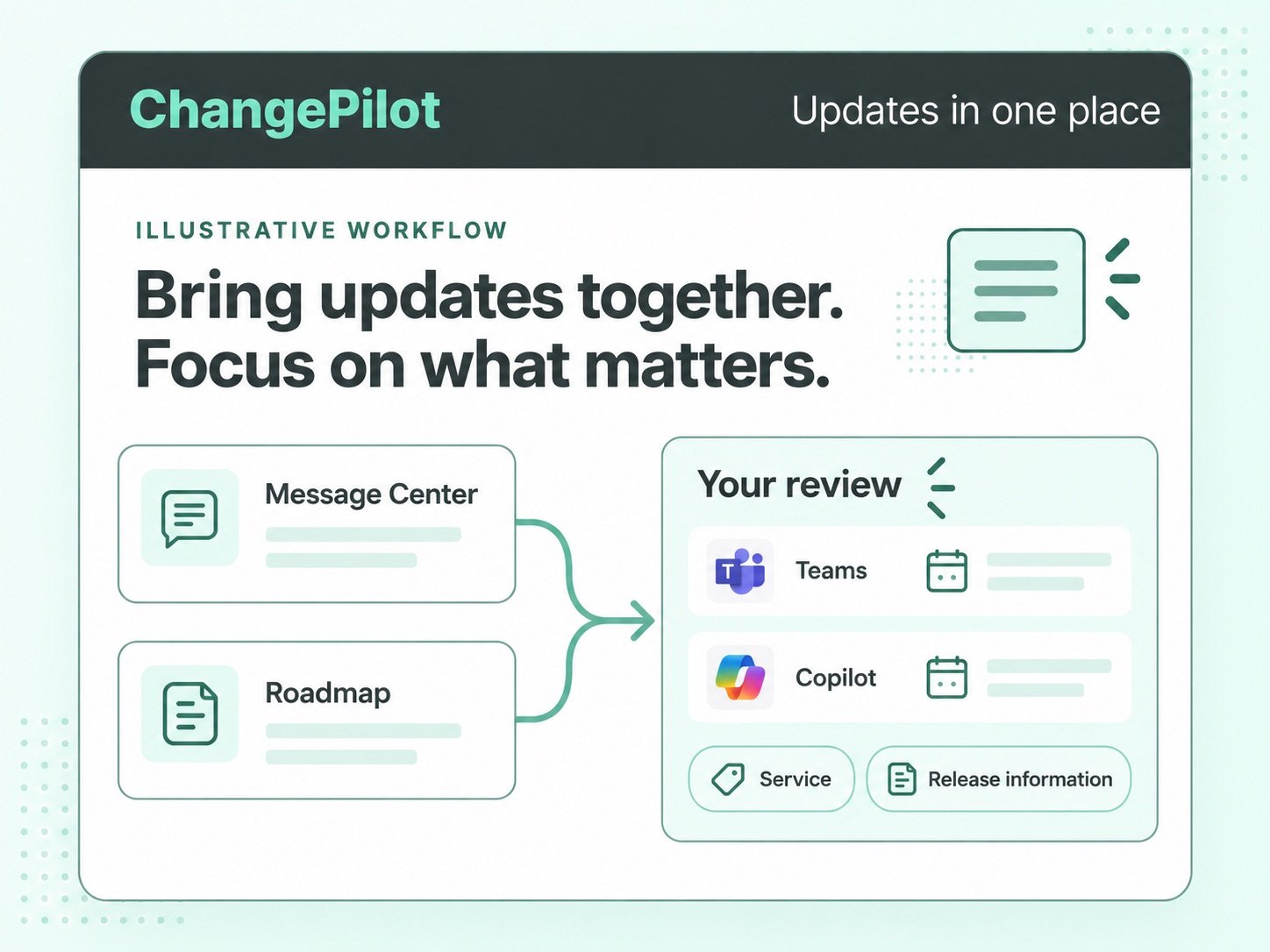
01 / See what is changing
Review Microsoft 365 updates in one place.
Review Message Center announcements and Roadmap releases together. Focus on the Microsoft 365 services your team manages, with release information close to hand.
MICROSOFT 365 CHANGE MANAGEMENT
See what’s changing, what it means for your team, and what to do next.
ChangePilot is a Microsoft 365 change management solution for IT and service teams. Review Message Center and Roadmap updates, including Teams and Copilot, with expert-reviewed summaries and separate administrator and user impact ratings.
 Change intelligence
From update to understanding

-1.png?width=160&height=80&name=HSFK%20Logo%20for%20CP%20Cast%20Study%20(1)-1.png)


.png?width=160&height=28&name=BAE%20(1).png)




FROM ANNOUNCEMENT TO ACTION
Microsoft 365 announcements explain what is changing. Your team needs to work out who is affected, what needs attention and how to prepare.
A new Teams experience may need support guidance. A Copilot update can prompt an adoption or governance review. A retirement may require a technical decision. Bring those decisions into a repeatable change process.
A CLEARER WAY TO REVIEW CHANGE
ChangePilot brings update information, expert context and team communication into one review process. Workflow tools add ownership and progress tracking on plans that include them.
Scroll to explore the workflow, or use the step indicators.
01 / See what is changing
Review Message Center announcements and Roadmap releases together. Focus on the Microsoft 365 services your team manages, with release information close to hand.
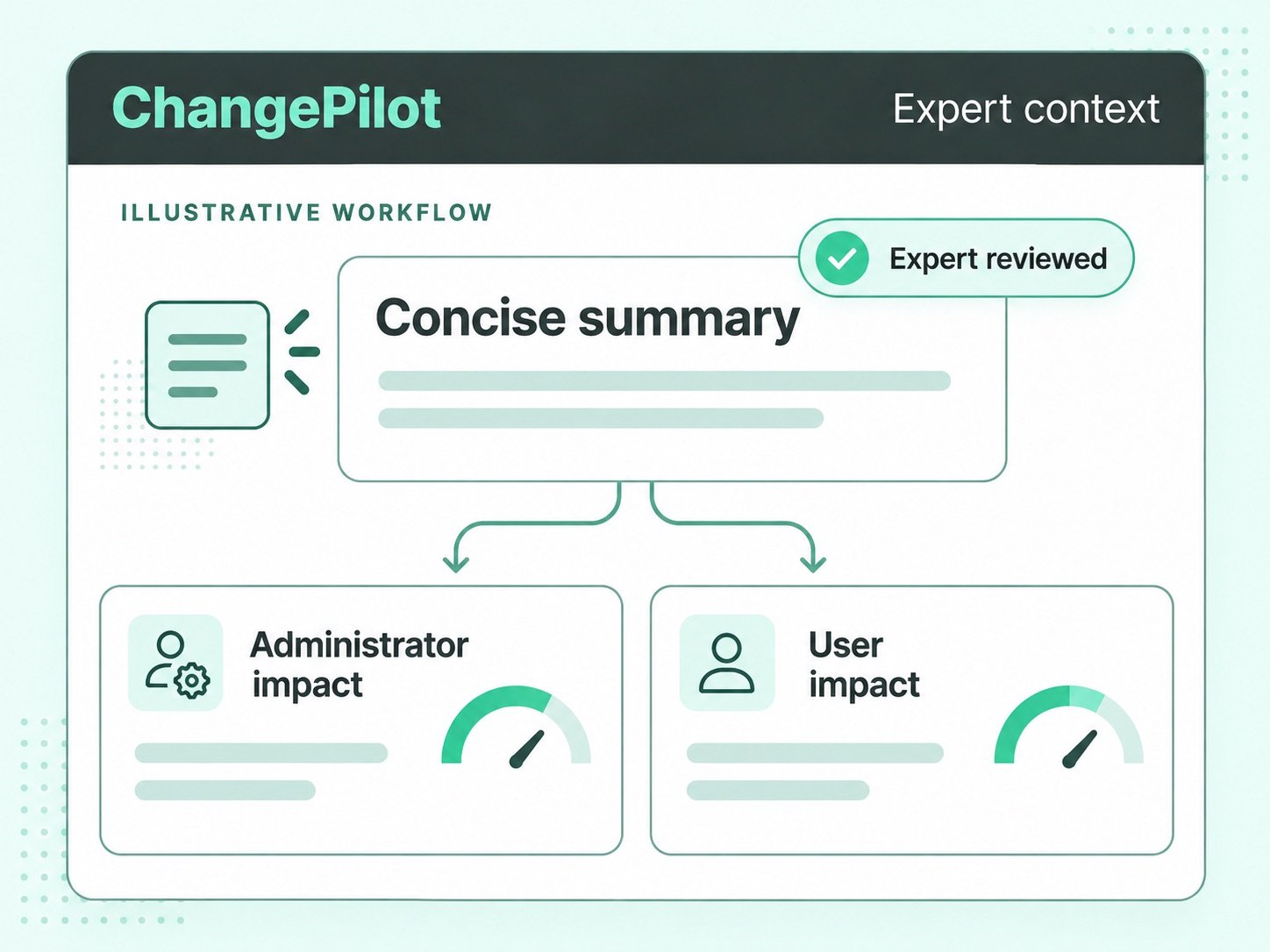
02 / Understand the impact
Read plain-English summaries reviewed by Microsoft 365 subject matter experts. Separate administrator and user impact ratings help you prioritise technical work, support preparation and user communication.
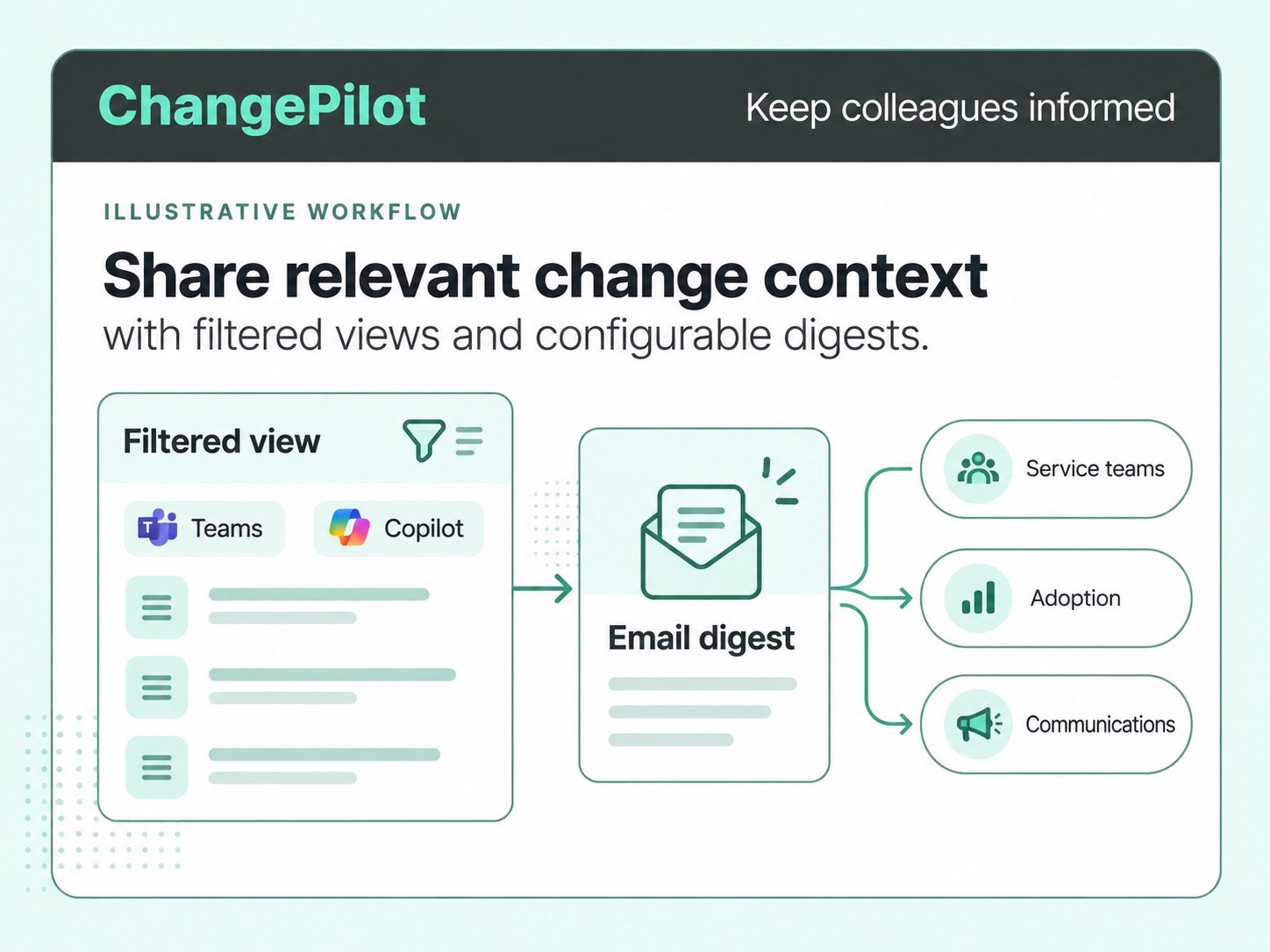
03 / Prepare the right people
Use filtered views and configurable email digests to share relevant changes. Give service desk, adoption and communications colleagues information they can turn into guidance and announcements.
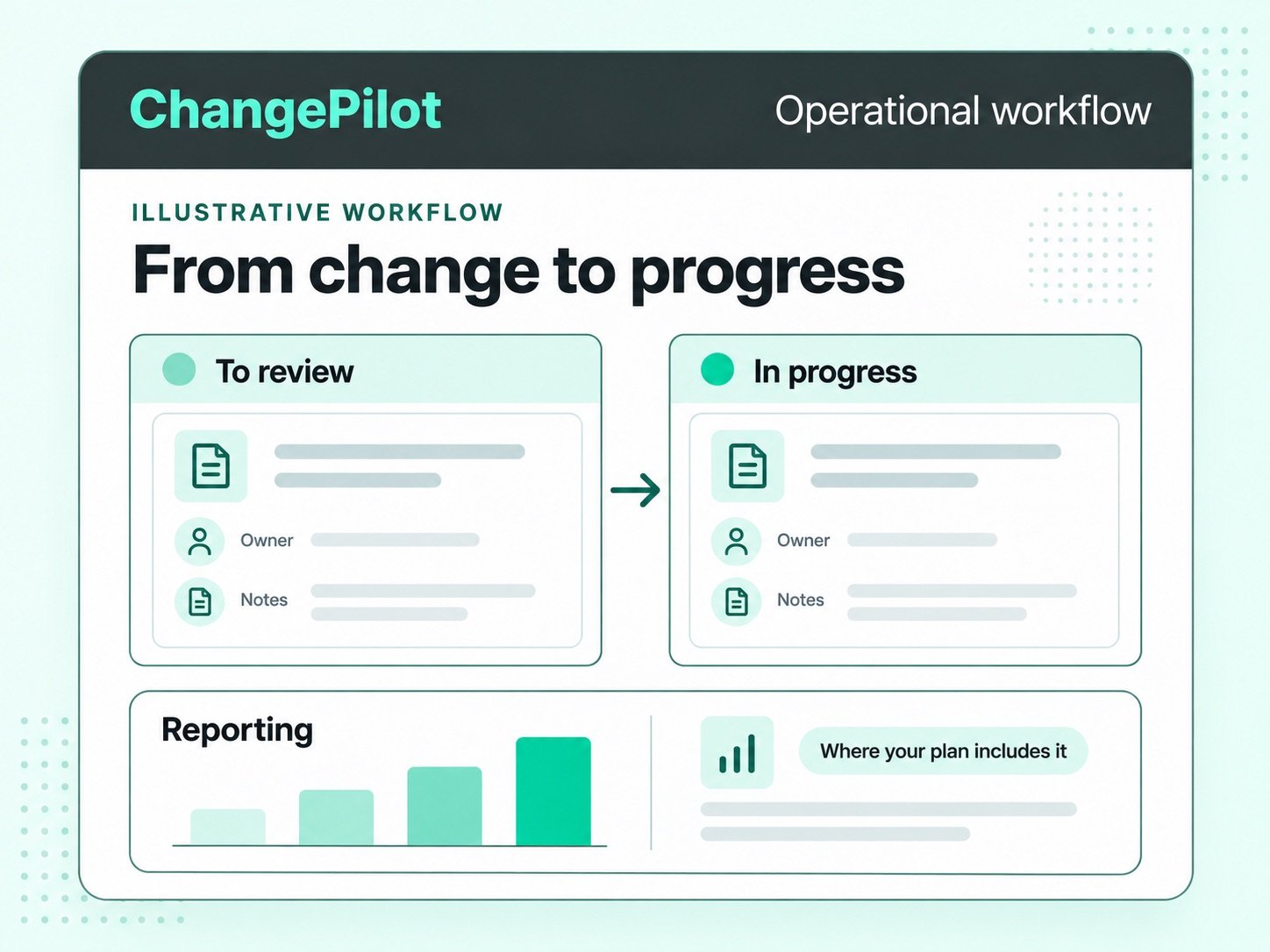
04 / Manage the response
On plans with operational workflow tools, assign owners, record notes and track item status. Use reporting to review progress and bring Microsoft 365 change into your team’s working process.
Feature availability depends on your plan.
SEE THE PRODUCT IN ACTION
Watch the ChangePilot explainer for a closer look at the product.
SHARED CONTEXT. DIFFERENT RESPONSIBILITIES.
Microsoft 365 change affects four key priorities: security, compliance, user adoption and service disruption. ChangePilot gives each team relevant update information and expert context to prepare its response.
Review Microsoft 365 updates with potential security implications. Give security teams expert context to assess changes, review controls and decide where further action is needed.
Identify Microsoft 365 changes that may affect compliance requirements and governance processes. Give compliance teams context to review policies, assess implications and plan their response.
Prepare people for changing Microsoft 365 experiences, including Teams and Copilot. Turn plain-English summaries into timely communications, training and guidance that support user adoption.
Prepare for Microsoft 365 releases and retirements that could disrupt services. Help IT, service owners and support teams prioritise technical reviews and prepare support guidance.
FEATURES AND PLANS
Start with Free. Plus is US$800 per month per organisation; Enterprise starts at US$2,600 per month per organisation. Compare current features, pricing and plan availability.
CHANGEPILOT IN PRACTICE
Hear how teams use ChangePilot to identify relevant changes and prepare for what’s next.
By utilising ChangePilot and its automated change process, HSF Kramer has achieved Level 500 of the Microsoft 365 Maturity Model, significantly decreasing downstream service disruption of changes by ensuring user and technical admins are informed of changes in advance.
ChangePilot has been extremely valuable for identifying relevant changes without having to trawl through the M365 Message Center. Non-technical Knowledge Managers can identify user experience changes and admins can spot the changes that need action.
PARTNER STORY · PURE IP
Pure IP equips its Enterprise Voice customers with ChangePilot to track Message Center and Roadmap updates, with curated summaries and impact ratings to support their reviews.
Read the Pure IP partner story →BUILD YOUR BUSINESS CASE
The ChangePilot ROI calculator estimates potential value from its inputs and assumptions. Review the assumptions alongside the estimate when building your business case.
Explore the ROI calculator ↗YOUR QUESTIONS, ANSWERED
ChangePilot is Microsoft 365 change management software. It brings Message Center and Roadmap updates together with expert-reviewed summaries, impact ratings and release information. Teams use that context to prepare their response.
ChangePilot adds expert context to Microsoft 365 announcements. Plain-English summaries, separate administrator and user impact ratings, and release information help teams decide which updates need attention.
Yes. ChangePilot includes Teams and Copilot updates from Microsoft 365 Message Center and the Roadmap. Use that information to review changes affecting your services and users, alongside updates for other Microsoft 365 products.
ChangePilot is for IT and Microsoft 365 service owners and the teams supporting them. Security, compliance, user adoption and service teams can use relevant change information to prepare guidance and inform their own reviews.
ChangePilot helps teams review updates, assess impact and prepare a response. Filtered views and email digests support communication. Ownership, statuses, notes and reporting support an operational workflow on plans that include those tools.
Yes. You can start with ChangePilot Free through the portal. Compare Free, Plus, Business and Enterprise on the Features and plans page to choose the capabilities your team needs.
Microsoft’s Planner sync turns Message Center posts into tasks that your team can assign and track. ChangePilot brings Message Center and Roadmap updates together with expert-reviewed summaries and separate administrator and user impact ratings, helping your team understand a change before deciding how to respond. Workflow capabilities depend on your plan.
Start with ChangePilot Free to review updates, or talk to the team about managing change across your organisation.